Root: Context Agent

Your AI data team member that builds and maintains your knowledge base

Root is an AI agent that helps you build, maintain, and evolve your organization's knowledge base. It runs in an isolated sandbox with access to your connected tools—databases, BI dashboards, and past conversations—and can create documentation automatically.

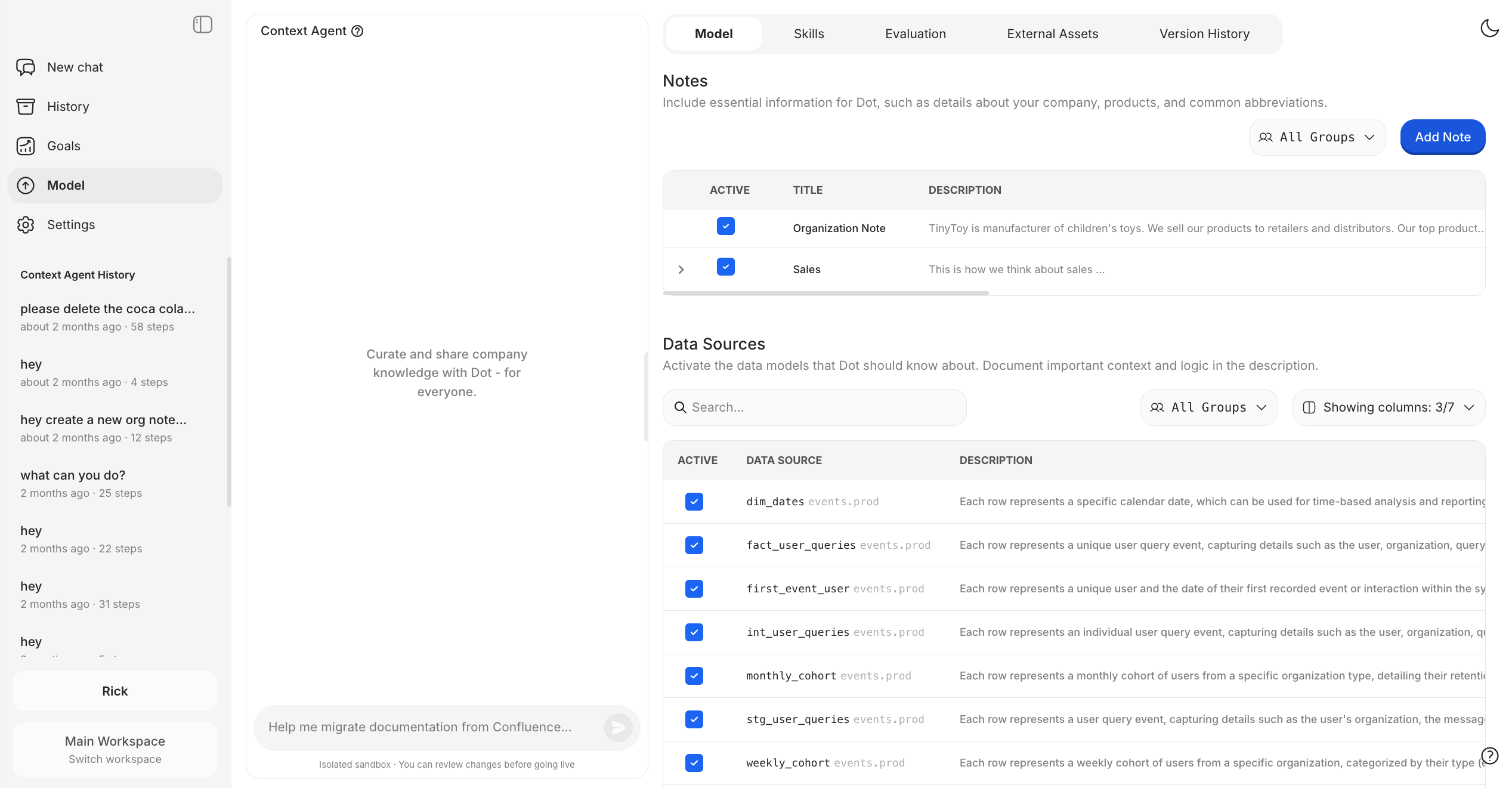
Root helps you curate and share company knowledge with Dot
Why this matters: Building a comprehensive knowledge base manually takes months. Root accelerates this by extracting business logic from your existing systems and learning from how your team actually uses data.


Workflow

  1. Open Context Agent from the sidebar

  2. Describe what you need in natural language—Root understands complex requests

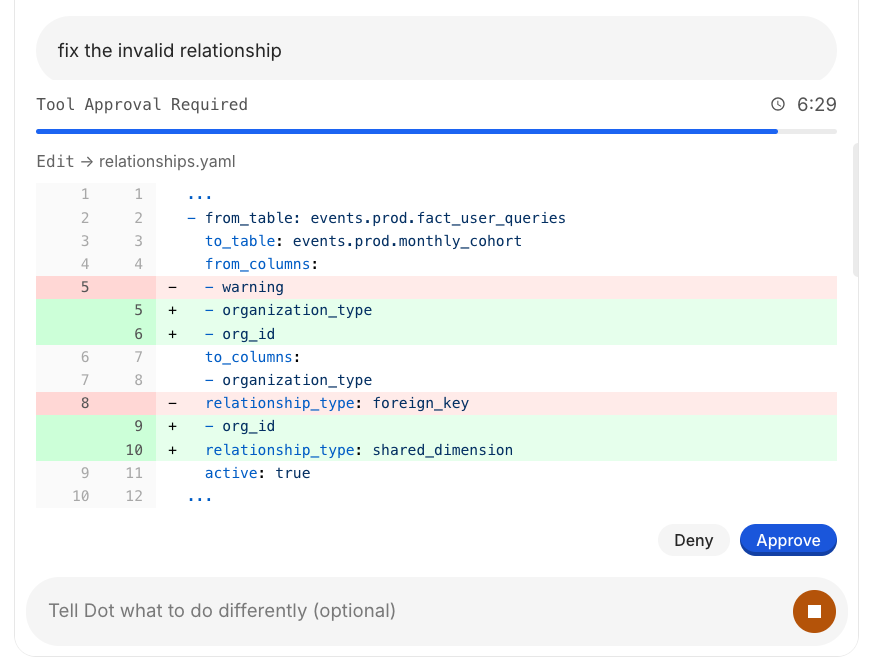
  3. Approve tool use when Root needs to query data or make changes

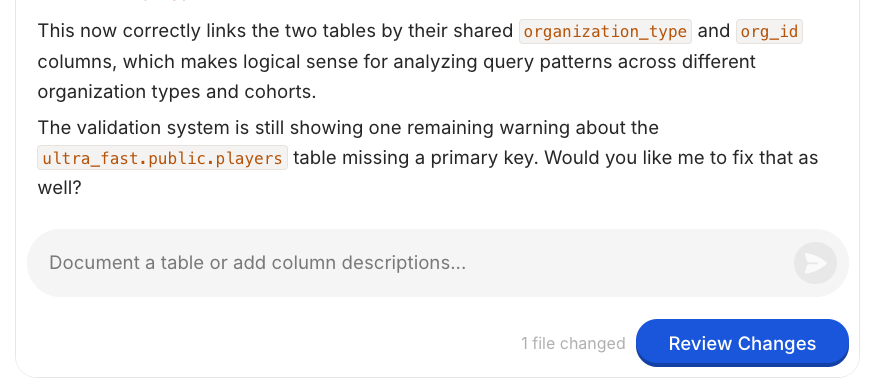
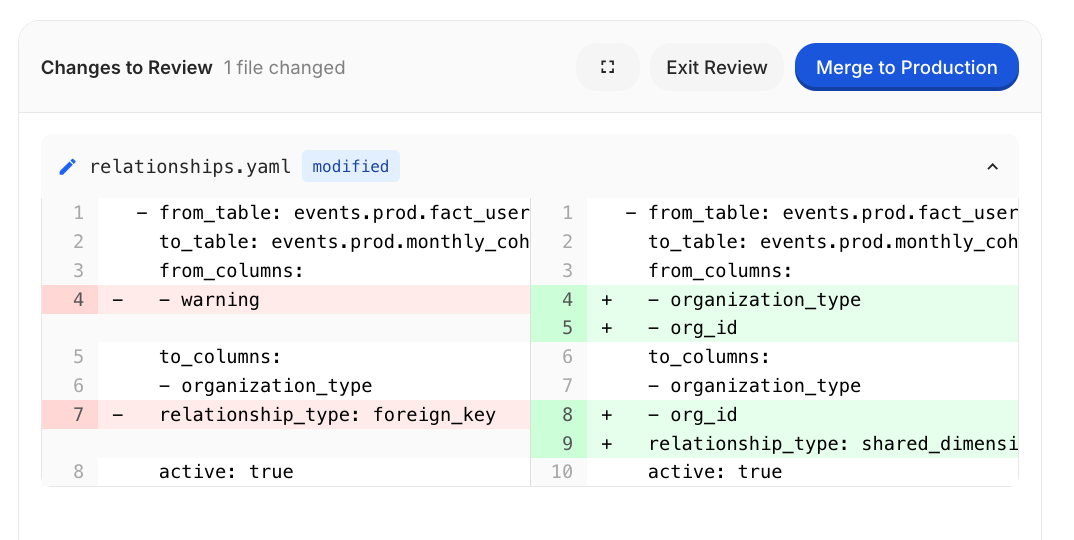
  4. Review the diff to see exactly what changed

  5. Merge to production when satisfied—or discard and try again

All changes happen in an isolated sandbox. Nothing goes live until you explicitly merge.


Use Cases

1. Extract Metrics from BI Tools

Problem: Your Tableau/Metabase dashboards contain business logic, but it's not documented anywhere Dot can use.

Solution: Give Root access to your most trusted dashboards and ask it to create a metric glossary.

Root will:

  • Connect to your BI tool via API

  • Extract calculations, filters, and business logic

  • Create standardized metric definitions Dot can use


2. Learn from Past Conversations

Problem: You don't know what questions your team asks most or what's missing from your documentation.

Solution: Ask Root to analyze past Dot conversations.

Root will:

  • Export and analyze conversation history

  • Identify frequently asked questions

  • Find gaps where Dot couldn't answer

  • Suggest documentation improvements


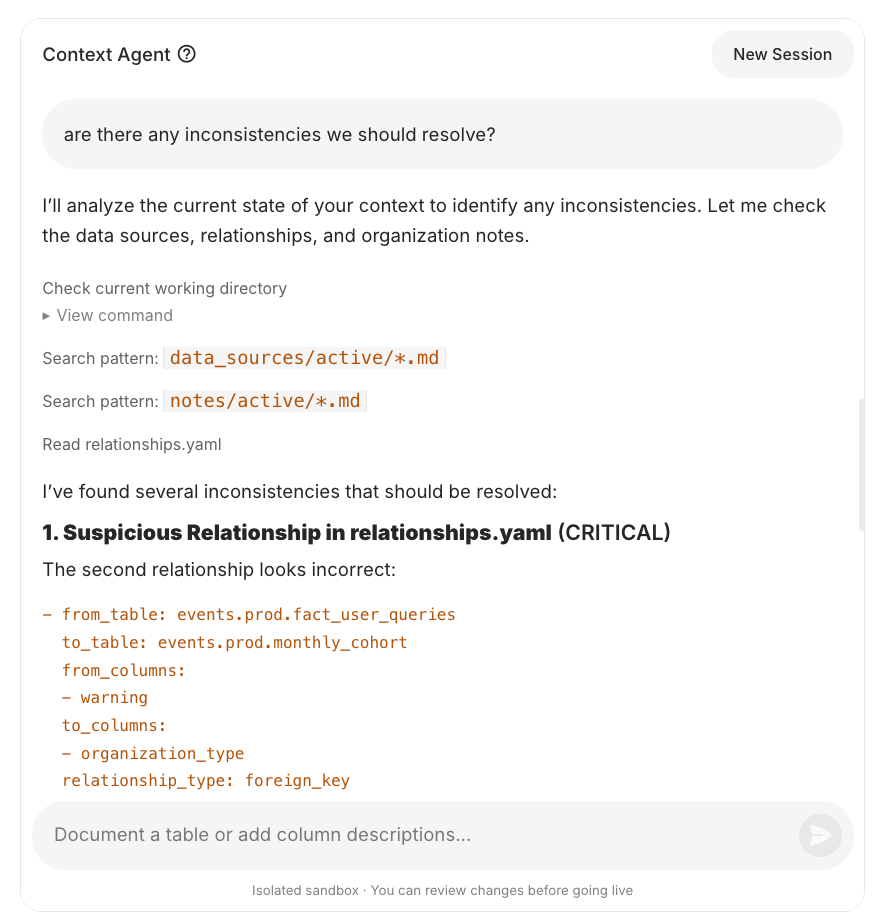
3. Audit Existing Documentation

Problem: Your table descriptions were written months ago. Are they still accurate?

Solution: Ask Root to find inconsistencies.

Root will:

  • Read your current documentation

  • Query actual data to verify descriptions

  • Flag mismatches between docs and reality

  • Suggest fixes


4. Interview-Based Knowledge Capture

Problem: Tribal knowledge exists in people's heads, not in documentation.

Solution: Let Root interview domain experts and capture their knowledge.

Root will:

  • Ask targeted questions about your process

  • Capture answers in structured notes

  • Create documentation that reflects actual practice


5. Bulk Table Documentation

Problem: You have hundreds of tables but no descriptions.

Solution: Point Root at your schema and let it document everything.

Root will:

  • Query database metadata

  • Analyze column names, types, and sample data

  • Generate descriptions for each table and column

  • Save as documentation Dot can use


6. Migrate Documentation

Problem: Your documentation lives in Confluence/Notion, not where Dot can use it.

Solution: Ask Root to migrate it.

Root will:

  • Fetch content from external sources

  • Extract relevant business context

  • Create notes in Dot's format


How It Works

  1. Start a session from the sidebar (Context Agent)

  2. Ask Root what you need—it understands natural language

  3. Review changes before they go live (git-based versioning)

  4. Merge to production when you're satisfied

All changes are version-controlled. You can pause, resume, or discard work at any time.


What Root Can Access

Source
Capability

Databases

Execute SELECT queries, analyze structure

BI Tools

Read Tableau/Metabase dashboards via API

Past Conversations

Analyze Dot usage patterns

Web

Search for documentation and best practices

Your Notes

Read and edit existing documentation


Tips

  • Start specific: "Document the orders table" works better than "document everything"

  • Iterate: Root can refine its work—ask for changes if the first draft isn't right

  • Review diffs: Always review changes before merging to production

  • Use interviews: For complex processes, let Root interview you rather than trying to explain everything upfront

Last updated