> For the complete documentation index, see [llms.txt](https://docs.getdot.ai/llms.txt). Markdown versions of documentation pages are available by appending `.md` to page URLs; this page is available as [Markdown](https://docs.getdot.ai/train-dot/permissions.md).
# Permissions
permissive or restrictive, however you like it
## Roles in Dot
There are three roles that control what you can do in Dot:
* **Admin** — Full access to settings, connections, users, billing, and model management.
* **Modeler** — Can manage the data model, run evaluations, and view chat history for their groups. No access to settings, billing, or user management. Admins can adjust what a modeler can do (see [Modeler permissions](#modeler-permissions) below).
* **User** — Can chat and ask questions only.
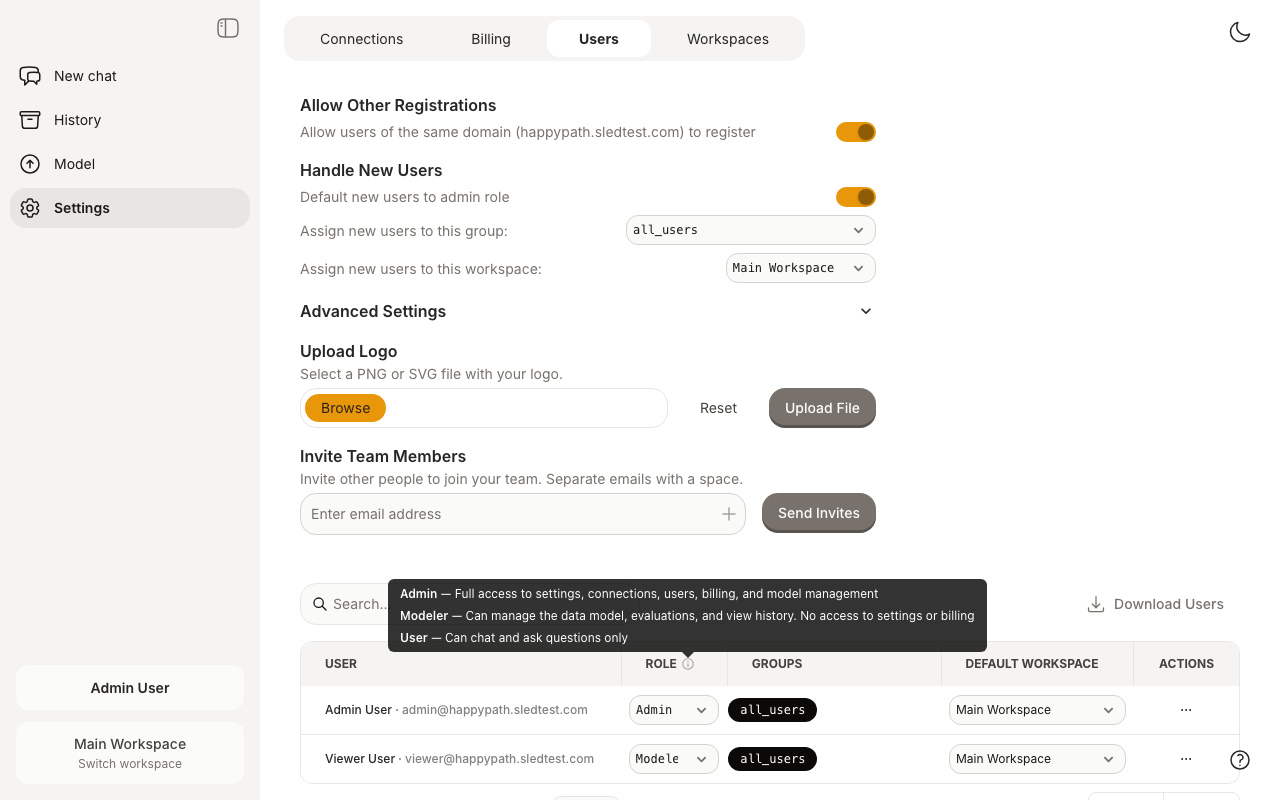
Roles are managed by admins on the Settings > Users page. Hover over the info icon next to the Role column to see a summary of each role.
Users page with role descriptions tooltip
### Access Matrix
| Feature | Admin | Modeler | User |
| --------------- | :---: | :-----: | :--: |
| Chat | Yes | Yes | Yes |
| History | Yes | Yes | — |
| Model page | Yes | Yes | — |
| Evaluation | Yes | Yes | — |
| Settings | Yes | — | — |
| Connections | Yes | — | — |
| Billing | Yes | — | — |
| User management | Yes | — | — |
The Modeler row shows the defaults. That row isn't fixed, though. Admins can change what a modeler can do (see the next section). One thing worth calling out: a modeler's History only shows chats from people in groups they share, not everyone's chats, and admins can hide the History page from modelers entirely.
## Modeler Permissions
The Modeler role is a starting point, not a fixed set of rules. Admins shape it under Settings, then Advanced Settings, then Modeler Permissions.
A few things are on by default, because modelers have always been able to do them. You can turn any of them off:
* See and edit the Skills tab
* See the History page (limited to their own groups)
* Chat without restrictions
Everything else is off by default. An admin can grant it when a modeler needs it:
* Trigger and schedule connection syncs
* Assign workspace users to groups
* Merge changes to production
* Review Root's proposals, meaning see them and merge or reject them
* Revert version history to an earlier commit
* Manage all apps, like an admin
This way the role stays tight by default, and you hand out exactly the extra access a person needs. These settings are per workspace, so a modeler can have different access in different workspaces.
## Data Access Control
Groups manage who gets access to what data. A user can only query a table if they share at least one group with that table.
* A user can belong to multiple groups and a table can also belong to multiple groups.
* By default, new tables are assigned the group `all_users` and new users are also added to this group.
* An admin can configure that new users don't automatically get the `all_users` group if your organization operates on a "need to know" basis.
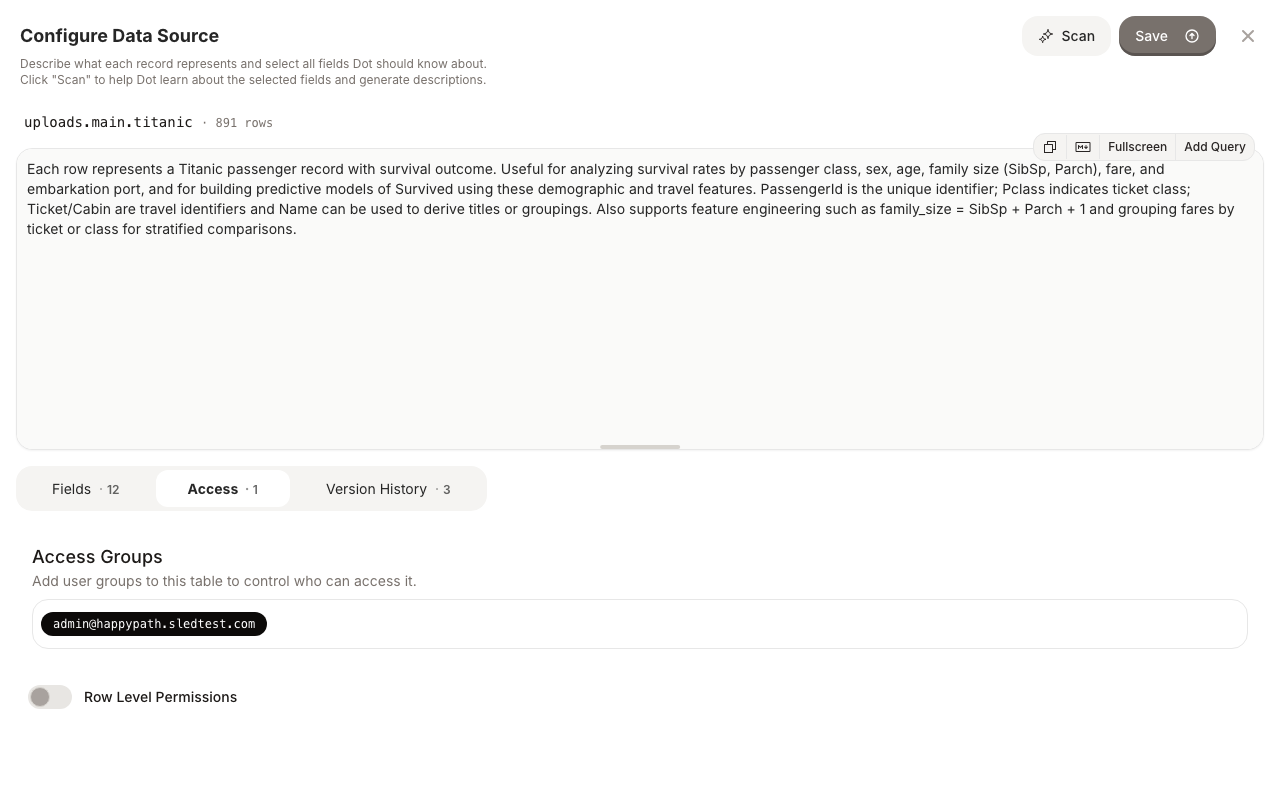
To manage groups for a table, open the table on the Model page and click the **Access** tab.
Access groups for a table on the Model page
## Row Level Permissions
Groups can also be used to apply row-level filtering on tables.
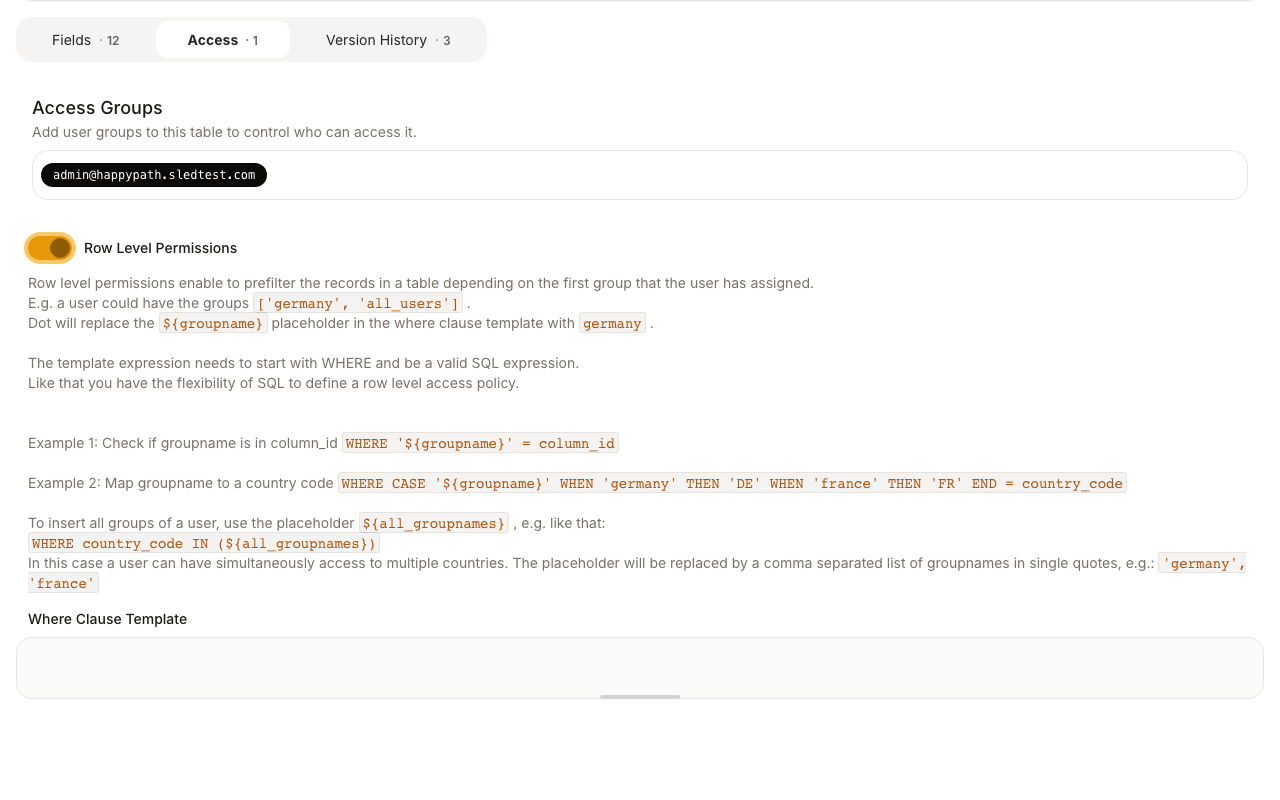
To enable row level permissions, open a table on the Model page, go to the **Access** tab, enable the **Row Level Permissions** toggle, and specify a where clause template.
The where clause should contain the placeholder `${groupname}`, which is replaced by the user's first group name at query time. You can also use `${all_groupnames}` to match against all of a user's groups.
**Examples:**
```sql
-- Filter by a single group
WHERE '${groupname}' = country_code
-- Map group names to values
WHERE CASE '${groupname}' WHEN 'germany' THEN 'DE' WHEN 'france' THEN 'FR' END = country_code
-- Match any of the user's groups
WHERE country_code IN (${all_groupnames})
```
Row Level Permissions configuration on the Access tab