> For the complete documentation index, see [llms.txt](https://docs.getdot.ai/llms.txt). Markdown versions of documentation pages are available by appending `.md` to page URLs; this page is available as [Markdown](https://docs.getdot.ai/train-dot/workspaces.md).
# Workspaces
Separate environments for different teams
Workspaces are isolated environments within your organization—separate users, data connections, and permissions, but shared billing.
**Use cases**: Team separation (Sales vs Finance), client isolation, regional data separation, testing environments.
### Creating a Workspace
*Org admins only*
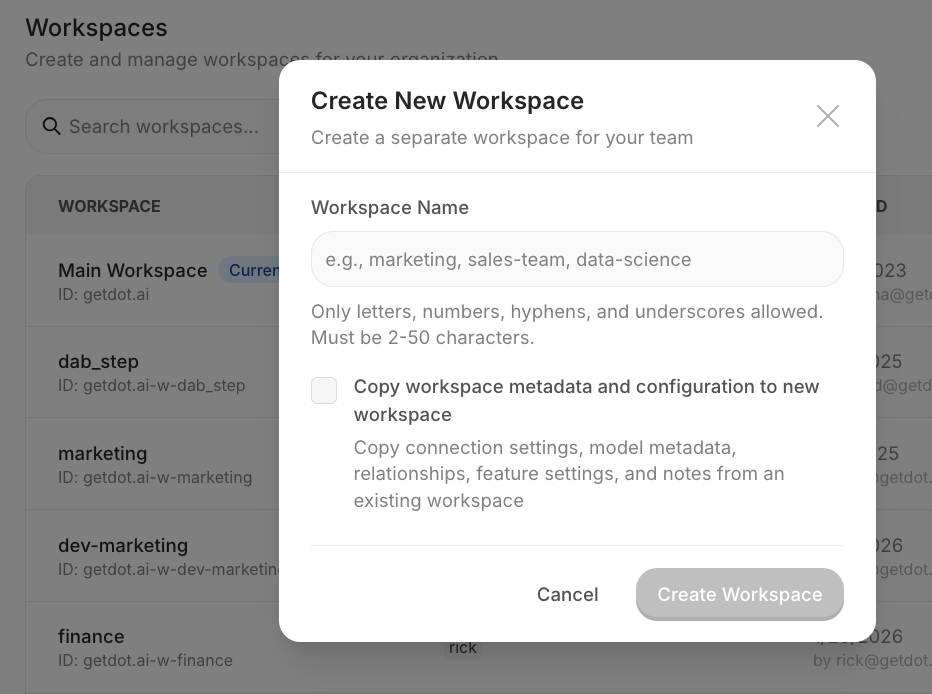
1. **Settings → Workspaces → Create Workspace**
2. Enter a name, and optionally tick **Copy from an existing workspace** and pick the source
3. Done
A copy brings over Apps, connections, model context, skills, settings, and notes. Data, schedules, and shared links stay in the source. Copying a large workspace can take minutes, so the dialog shows a progress log while it works.
Create a new workspace with optional data copying
Limits: 10 workspaces (free) / 200 (unlimited).
### Sharing usage limits
By default each workspace sets its own weekly credit limits, so a person with a seat in three workspaces gets three allowances. In the main workspace, go to **Settings → Users → Usage Limits** and turn on **Share these limits with all workspaces** to give each person one allowance across all of them. Workspaces then show the main workspace's limits read-only, and usage counts across every workspace. The switch appears once the main workspace has at least one workspace. See [Agent Compute Credits](/train-dot/agent-compute-credits.md).
### Switching Workspaces
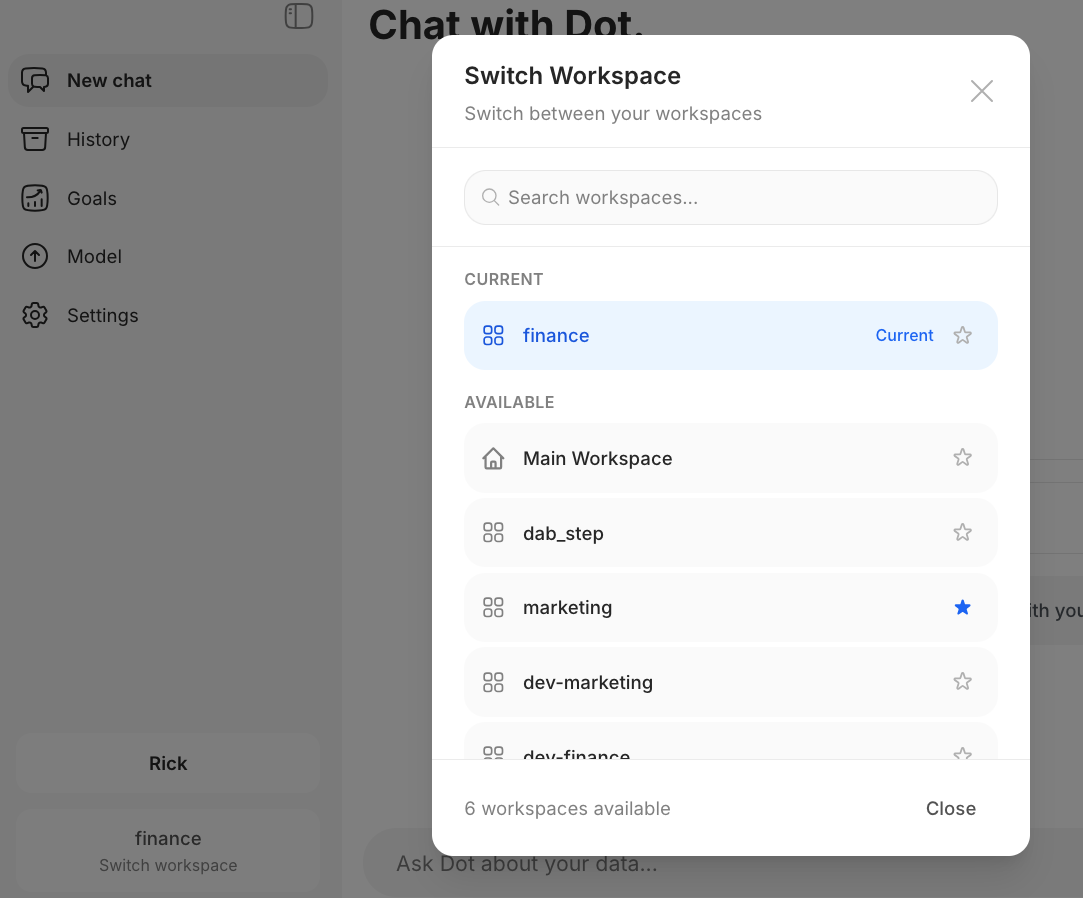
Click your **workspace name** (bottom-left) → select another workspace.
Switch between workspaces from the sidebar
You can set a default workspace in your user settings.
### Adding Users
1. **Settings → Workspaces** → find workspace → **Manage Users**
2. Enter email, select role (User/Admin), click Add
New users invited to a workspace can only see that workspace. Admins can grant full org access later.
### Slack & Teams Routing
Route specific channels to workspaces. See [Channel Routing](/integrations/slack-and-teams/channel-routing.md).